
Data centers accounted for approximately 4.7% of U.S. electricity consumption in 2024, according to Lawrence Berkeley National Laboratory’s updated analysis.
That energy powers the equipment behind websites, business software, cloud services, and AI applications.
Understanding how a data center works starts with the relationship between its computing equipment and the facility systems that support it.
Data Center Definition?
A data center is a physical facility that houses servers, storage systems, and networking equipment to process, store, and deliver data and applications.
Power, cooling, connectivity, and security systems create an environment in which that equipment can operate reliably.
Data centers range from small facilities serving one organization to large campuses supporting many customers.
A business may own its facility, rent space for its equipment, or buy computing services from a provider. These arrangements change who operates the equipment and pays for its supporting infrastructure.
The terms data center, server farm, and cloud describe different parts of this system. A server farm is a collection of servers, often housed inside a data center.
Cloud computing delivers resources as services over a network, using physical infrastructure located in data centers.
How Do Data Centers Work?
A data center processes requests by connecting applications, computing resources, and stored information. For example, when someone accesses an online account, their request travels through a network to the systems running that service.
A server processes the request, retrieves the relevant information, and sends a response back to the user.
Different workloads use this infrastructure in different ways. A database handles records and transactions; a backup system retains recoverable copies of information; an AI workload processes data using CPUs, GPUs, or other specialized hardware. Some jobs run continuously, while others are scheduled or triggered by a request.
Facility systems support all of this activity. Power equipment supplies electricity, cooling removes heat, and monitoring helps staff identify faults or capacity constraints. Network connections carry traffic between equipment within the facility and to users or other locations.
Keeping an application available requires coordination across these layers. A backup generator supports the facility during a utility interruption, while replication and application failover can help a service recover from a server or site failure.
Each measure addresses particular risks, so the complete design determines the protection a workload receives.
What Are the Main Components of a Data Center?
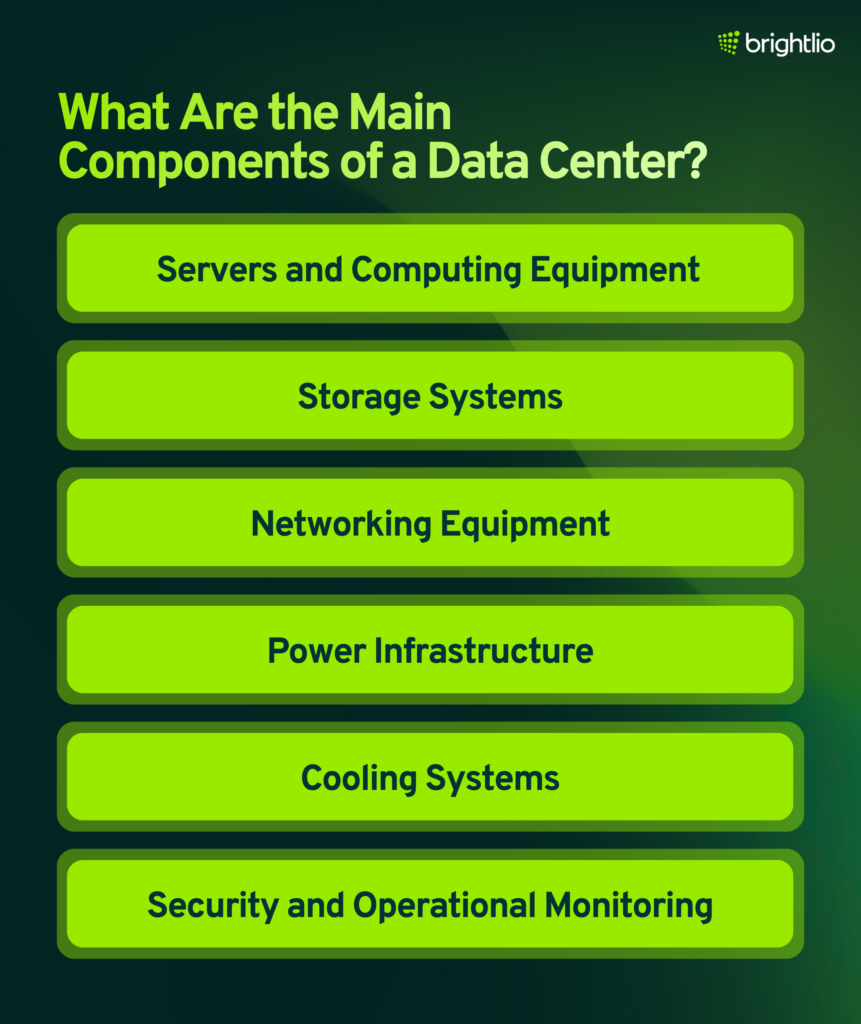
The equipment that processes information depends on the systems that power, connect, and protect it. A data center brings together six main infrastructure components:
1. Servers and Computing Equipment
Servers run applications and process data. Their processors, memory, and hardware accelerators are selected for the workload. Rack servers operate as individual units mounted in equipment racks, while blade servers fit into a chassis that shares resources such as power and networking connections.
Specialized platforms, including mainframes and GPU systems, serve workloads with particular performance or availability requirements.
Virtualization allows multiple virtual machines to share physical hardware. The choice between bare metal and virtual server hosting affects how computing resources are allocated and managed.
2. Storage Systems
Storage retains operating systems, application data, and backups. Direct-attached storage connects to an individual server.
Network-attached storage provides shared file access, while a storage area network presents shared block storage to servers. A facility can combine these configurations to support different applications.
Storage design balances capacity, response time, availability, and recovery needs. Backups preserve recoverable copies, while replication maintains copies across systems or locations.
Replication alone does not protect against every form of data loss because unwanted changes can propagate to the copies.
3. Networking Equipment
Switches connect equipment within the data center, and routers connect networks.
Network interfaces, cables, optical equipment, and carrier services provide the paths used by application traffic. Firewalls and segmentation controls restrict which systems can communicate.
Available bandwidth affects how much data a connection can carry, while latency affects how quickly a request receives a response.
Alternate network paths improve resilience when they avoid shared failure points. Two connections using the same physical route may remain vulnerable to a single cable cut.
4. Power Infrastructure
Electrical infrastructure includes distribution equipment, uninterruptible power supplies, batteries, transfer switches, and generators.
A UPS supports the load during a brief interruption or while another power source becomes available. Generator runtime depends on fuel, equipment condition, and the supporting electrical design.
Power remains a major operational concern. In Uptime Institute’s 2026 survey, 56% of the 85 respondents answering the outage-cause question identified power as the primary cause of their most recent impactful data center incident or outage.
This finding concerns those respondents’ incidents rather than every outage worldwide.
5. Cooling Systems
Servers convert much of the electricity they consume into heat. Air cooling, liquid cooling, or a combination of both removes that heat and keeps equipment within suitable operating conditions.
Supporting systems may include fans, chillers, pumps, heat exchangers, and environmental sensors.
Cooling requirements depend on equipment density, operating conditions, and hardware specifications.
Operators monitor temperature and other environmental conditions to identify problems before they disrupt equipment. Water requirements vary with the cooling design and local climate.
6. Security and Operational Monitoring
Restricted entry, access logs, cameras, alarms, and fire detection and suppression systems protect the physical environment.
Cybersecurity measures address risks such as stolen credentials, exposed management interfaces, malware, and unauthorized access to applications or data.
Staff use monitoring tools to track equipment health, power use, cooling performance, and network activity.
Maintenance schedules, change controls, incident procedures, and recovery testing turn the infrastructure into a managed service. Equipment redundancy provides the intended benefit only when the systems are maintained and operated correctly.
What Are the Main Types of Data Centers?
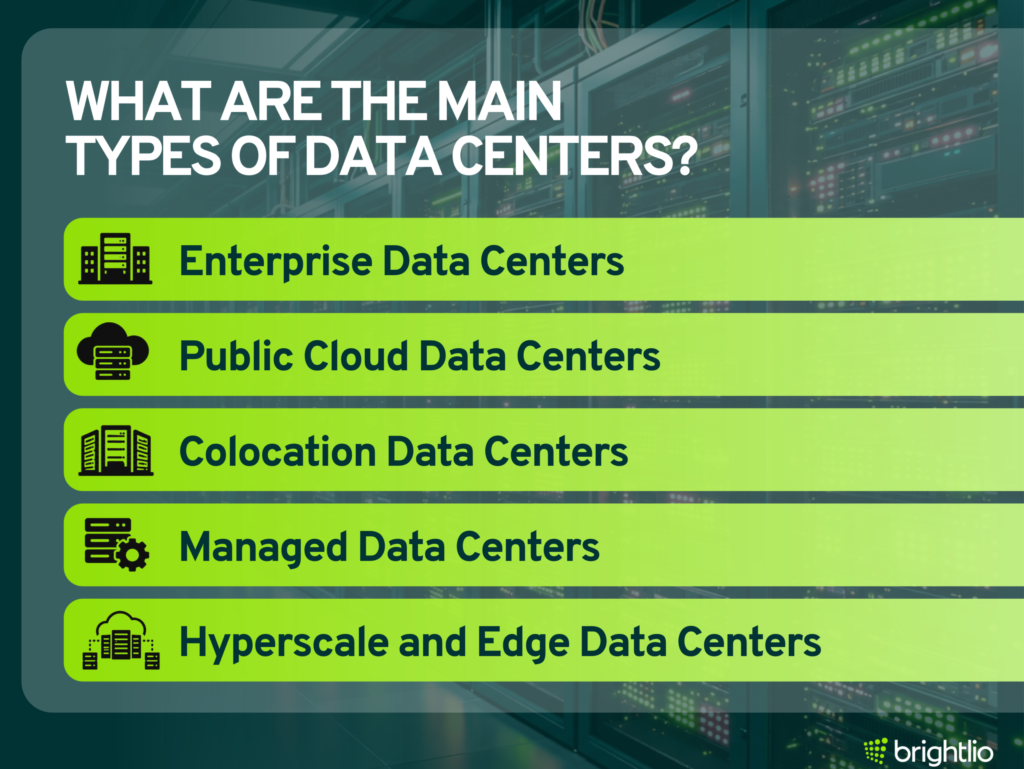
Once the infrastructure is understood, the next distinction is who owns it and who manages it. The following categories describe operating models, scale, or location, and can overlap:
1. Enterprise Data Centers
An enterprise data center supports an organization’s own IT systems. It may sit at an office or at a separate dedicated site. The organization typically controls its hardware and operations, although it can contract outside specialists for maintenance or support.
This model provides direct control over equipment and configuration. It requires funding for facilities, power, cooling, staffing, and equipment replacement. Security and compliance depend on the safeguards implemented and maintained throughout the environment.
2. Public Cloud Data Centers
Public cloud providers operate infrastructure that delivers computing, storage, and application services to customers. Customers obtain resources without owning the underlying facility or physical hardware. Their management responsibilities vary with the service they choose.
Public cloud supports workloads such as development environments, backups, and applications with changing demand. Organizations still need to manage access, configuration, data protection, and applicable contractual obligations.
A private cloud can run inside an enterprise or hosted facility, while hybrid cloud connects distinct cloud environments.
3. Colocation Data Centers
Colocation lets an organization place its equipment in a provider’s facility. The customer rents space, power, cooling, and connectivity while generally retaining responsibility for its servers, software, and data. Providers may offer additional support under a separate agreement.
This arrangement suits businesses that want hardware control and access to an established facility. Requirements can range from one server to private cages or multiple locations. Brightlio’s guide to colocation explains the service model and the responsibilities customers retain.
4. Managed Data Centers
Managed services assign selected operational tasks to a provider. The agreement may cover monitoring, maintenance, backups, security operations, or technical support. Hardware can belong to the customer or be supplied by the provider.
Management services can accompany several hosting arrangements. For example, managed colocation combines space for customer equipment with contracted operational support. The service agreement should identify who handles each task, when support is available, and what is excluded.
5. Hyperscale and Edge Data Centers
Hyperscale facilities support very large computing environments and expansion. Cloud and internet companies use them for workloads such as search, streaming, storage, and AI. A hyperscaler is the organization operating infrastructure at that scale; a hyperscale data center is part of its physical footprint.
Edge deployments place computing closer to users, devices, or data sources. Local processing can reduce latency and the amount of data sent to a central facility. Examples include content delivery, industrial monitoring, and local AI inference.
Scale and location can coexist with the operating models above. An edge deployment may be enterprise-owned or hosted by a provider, while a hyperscale operator may own buildings or lease capacity from a colocation company.
What Do Data Center Tiers Mean?
The operating model identifies who manages a facility. Uptime Institute’s Tier Classification System describes how its power, cooling, and supporting site infrastructure handle maintenance and equipment failures. The four levels build on one another:
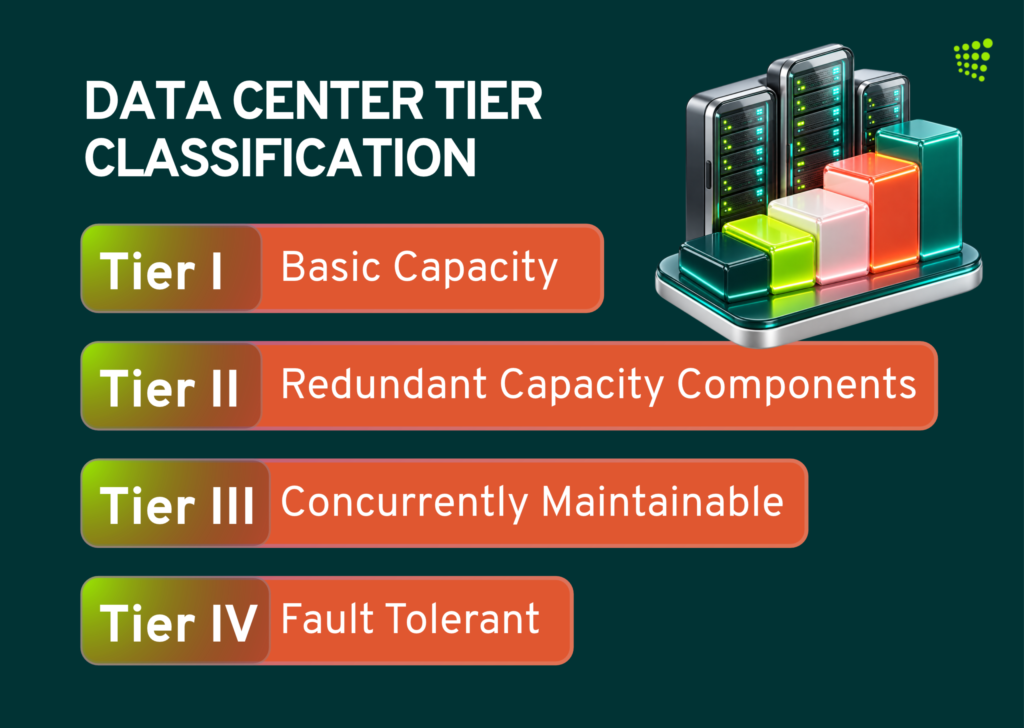
A Tier classification does not assign a guaranteed uptime percentage or a fixed annual downtime allowance. Application availability depends on software, networks, operating practices, and other factors beyond the facility’s infrastructure. Tier certification does not establish cybersecurity or regulatory compliance.
Certification must be checked separately from a provider’s description of its facility. Uptime Institute distinguishes certification of design documents, constructed facilities, and operational sustainability.
A design award confirms the assessed design; customers should establish whether the completed facility has been assessed and which certification applies.
The appropriate Tier depends on workload criticality, downtime tolerance, and cost. Company size alone does not determine the required level.
What Are the Benefits of Modern Data Centers?
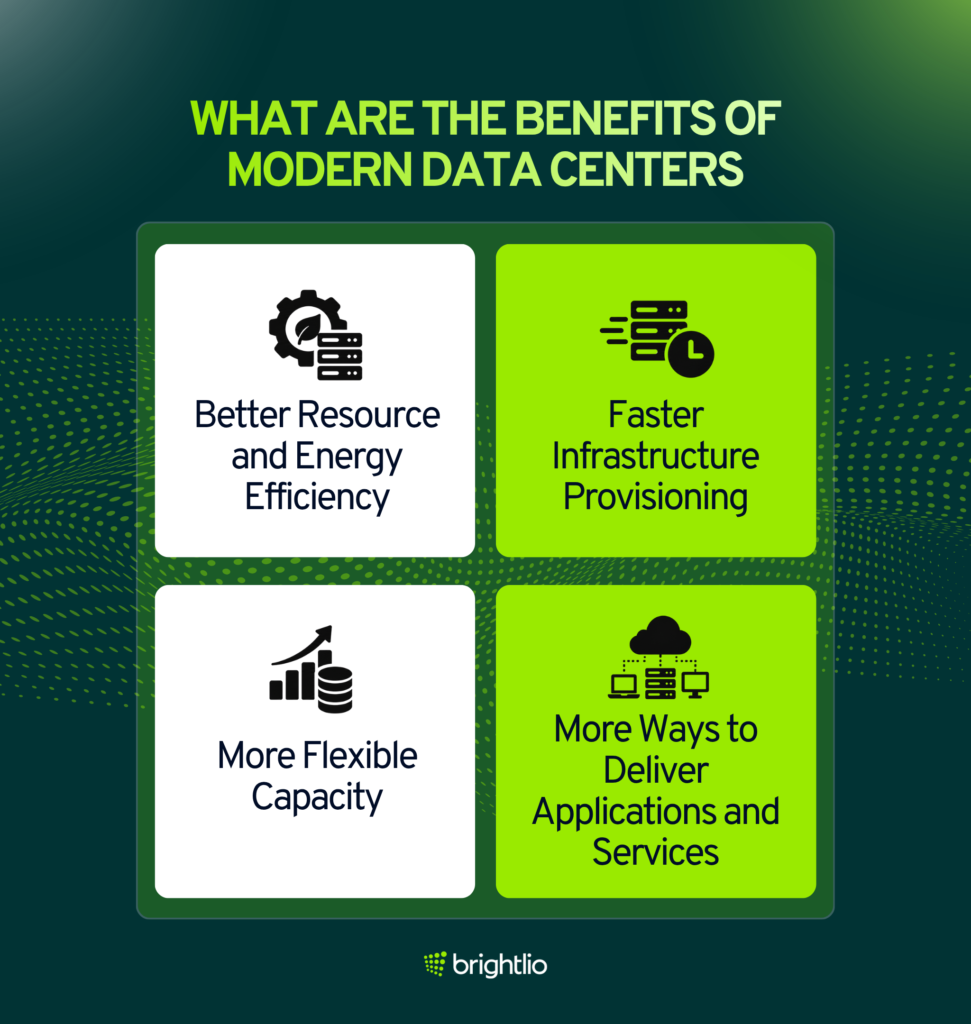
Well-designed facilities and suitable software platforms can help organizations use and manage infrastructure more effectively. Their main benefits depend on the technologies and operating practices in place:
1. Better Resource and Energy Efficiency
Virtualization and workload consolidation can improve the use of available computing capacity. Monitoring helps operators identify underused resources and decide when additional equipment is necessary. Capacity planning must retain sufficient headroom for demand changes and failures.
Facility efficiency is measured separately. Berkeley Lab’s updated analysis models U.S. average power usage effectiveness improving from 1.55 in 2018 to 1.45 in 2024. PUE divides total facility energy by IT equipment energy.
A lower ratio indicates less supporting energy per unit of IT energy, although it does not measure useful computing output or total environmental impact.
2. Faster Infrastructure Provisioning
Automation can shorten the work involved in configuring servers, storage, and networks. Approved templates and access controls let teams request resources through a portal or API with fewer manual steps.
The deployment process still needs suitable testing, security review, and application configuration. The time saved depends on how much of that process the organization has standardized and automated.
3. More Flexible Capacity
Organizations can allocate virtual resources within available physical capacity and expand into cloud services where the application design supports it. Cloud bursting requires suitable connectivity, orchestration, and access to the data the workload needs.
Planning remains important. In Uptime Institute’s 2026 survey, 76% of respondents said management was at least somewhat concerned about forecasting future data center capacity requirements. Scaling applications must be coordinated with available power, cooling, hardware, and network resources.
4. More Ways to Deliver Applications and Services
Infrastructure as a service provides computing, storage, and networking resources. Platform as a service supplies an environment for developing and running applications, while software as a service delivers applications to users. These service models offer different divisions of responsibility between customer and provider.
Containers, deployment automation, and managed platforms can support faster application updates. Portability still depends on software dependencies, data access, and platform compatibility.
Selecting the appropriate combination helps teams match operational effort to their skills and workload requirements.
How Do You Choose a Data Center?
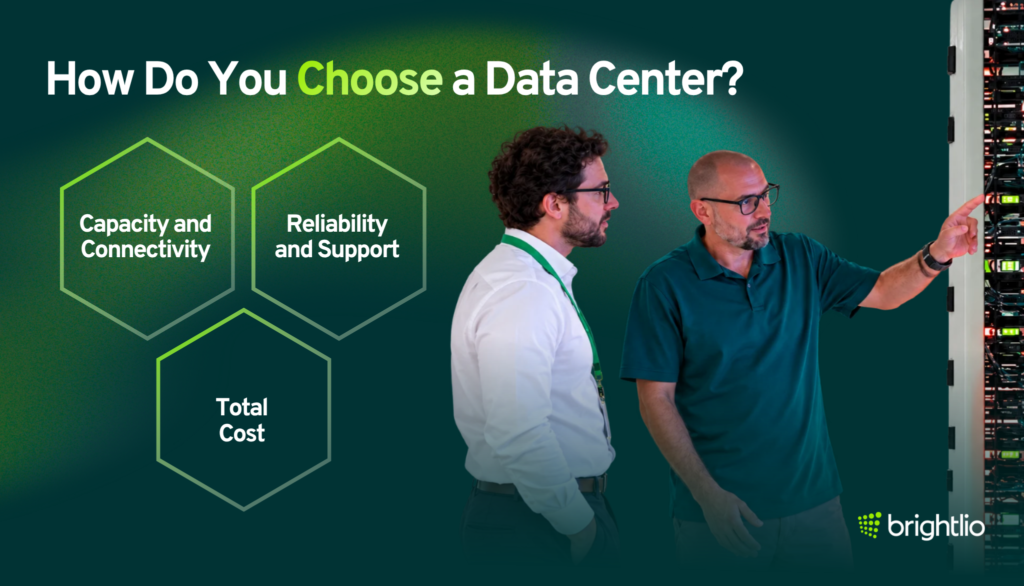
Begin with the applications you need to support. Identify their power, connectivity, recovery, and location requirements, then evaluate facilities against those needs. A comparison should cover the operating agreement as carefully as the building:
1. Capacity and Connectivity
Confirm the power available to your equipment, supported rack density, cooling options, and room for expansion. Review carrier availability, network routes, cloud connections, and any latency requirements. Available floor space alone does not show whether a facility can support the planned hardware.
2. Reliability and Support
Ask how maintenance, incident response, and escalation work. Review relevant certifications, service commitments, and the responsibilities retained by your team. Confirm whether remote hands support is included or charged separately, and whether the support hours match your operating needs.
3. Total Cost
Compare recurring charges for space, power, connectivity, and support alongside setup, cross-connect, and equipment-move costs. Review renewal terms and charges for changes in capacity. A colocation pricing breakdown helps identify cost categories that should be included when comparing proposals.
How Can Brightlio Help With Your Data Center Needs?
Brightlio helps businesses identify data center locations and providers, review proposals, and negotiate colocation costs. Through its partner network, it can source options ranging from a single server to private cages and deployments across multiple sites.
Brightlio can evaluate connectivity and cloud services alongside the facility decision. This brings the hosting location, network requirements, and budget into the same planning discussion.
Whether you are moving equipment from an office, adding capacity, or expanding into another market, share your technical requirements and budget with Brightlio to discuss suitable options.
Frequently Asked Questions
These answers address common questions about data center services and their wider impact:
1. What Does a Data Center Do?
A data center runs the computing equipment behind applications and digital services. It provides the power, cooling, connectivity, and security needed to support that equipment. Everyday examples include online banking, email, business software, and cloud storage.
2. Why Do You Need a Data Center?
Business applications need computing infrastructure that can be operated and maintained reliably. Organizations can obtain it through their own facility, colocation, hosting, or cloud services. Using data center resources does not require owning a data center building.
3. How Do Cloud Data Centers Differ From Traditional Data Centers?
Cloud providers deliver resources as services that customers provision over a network. Traditional enterprise facilities primarily support one organization’s equipment and applications. An enterprise facility can host a private cloud when its systems provide the necessary cloud capabilities.
4. What Are the Top Security Concerns for Data Center Operators?
Concerns include unauthorized entry, stolen credentials, ransomware, unpatched systems, exposed management tools, and insider threats. Responsibilities depend on the service agreement. Facility security, network protection, application security, and data access controls must all have clearly assigned owners.
5. What Are the Key Differences Between Data Centers, Cloud, and Server Farms?
A data center is a physical facility. A server farm is a group of servers working together. Cloud computing provides on-demand access to pooled computing resources. A cloud service can use server farms distributed across several data centers.
6. Why Are Some People Against Data Centers?
Residents may raise concerns about electricity demand, water consumption, equipment noise, land use, and utility expansion costs. They may question whether tax incentives and permanent employment justify those impacts. Effects vary with location, cooling design, facility size, and local agreements.
7. What Happens When a Data Center Is Built Near You?
Construction can bring traffic, dust, noise, and temporary jobs. Operating facilities can generate tax revenue and employment while increasing demand for utilities. Setbacks, sound controls, cooling choices, and utility arrangements influence the effects on nearby homes.
8. Who Has the Biggest Data Center in the World?
The answer depends on the measurement: completed floor area, operating power capacity, or an entire campus. Switch’s Citadel Campus in Nevada is a major example, but its advertised expansion includes future capacity. Comparisons must distinguish individual buildings from campuses and operating facilities from planned construction.

Recent Posts
What Is a Data Center?
10 Largest AI Data Centers in the World

Data Centers In Oklahoma: Why You Must Colocate
Data Center and Colocation In North Dakota
Let's start
a new project together